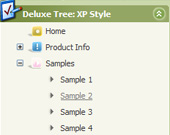
Recent Questions Javascript Tree Dock Menu
Q: When I use API like <script>dm_ext_deleteItem(0, 0, 0);</script> it works fine in my first dhtml drop down menu code (menu.js) but I'm unable to reach second one (menu_gauche.js). I’ve tried this : <script>dm_ext_deleteItem(1, 0, 0);</script> and the page came’s out with a JavaScript error on that line. I’ve read on your side about dm_ext_deleteItem api and the first parameter is for menu Id … If there anything that I have forgot ??
A: You cannot use the following function for the tree menu:
dm_ext_deleteItem(1, 0, 0);
There is no such function there:
You should use
dtreet_ext_deleteItem (0, 0)
for the tree menu, see more info:
http://deluxe-tree.com/functions-info.html
You should set menuInd=0 if you have only one dhtml drop down menu code on your page.
Q: I want to buy your product today, but have a few questions:
How do I change the font style for java menu templates to 9pt Verdana bold, but leave the sub-menus 9pt Verdana normal? I understand there’s a "fontStyle" variable, but is there an "itemfontStyle"? How do I make the left hand padding greater for the menu? I’m using the XP Style 1 and the far left top menu item is running up against my left hand border. I want to add about 10px of spacing to the left of the menu. How do I make the options in a menu have equal spacing? For instance, if there are 5 items in the menu, how can each have 100% / 5?
A: You can use Individual Item styles to set specific parameters for eachitem or submenu.
1.
var fontStyle=["normal 9pt Verdana","normal 9pt Verdana"]; //for subitems
//style for the top items
var itemStyles = [
["itemHeight=21px","itemBackColor=#F2F3F2,#1665CB","fontStyle='bold 9pt Verdana','bold 9pt Verdana'"],
];
2., 4. You should specify itemPadding parameter in "px". You shouldadd "px" in your style for subitems:
var menuStyles = [
["menuBackColor=#F2F3F2","menuBorderWidth=0","itemSpacing=1","itemPadding=4px","smOrientation=undefined"],
];
Notice also that you can set multiple value for itemPadding parameter,for example:
itemPadding=4px 10px 4px 10px
top right bottom left
4. You should set the exact width for the java menu templates:
var menuWidth="500px";
and set width for the top items using Individual styles:
["itemWidth=100px","itemHeight=21px","itemBackColor=#F2F3F2,#1665CB","fontStyle='bold 9pt Verdana','bold 9pt Verdana'"],
Unfortunately it is not possible to specify item's width in '%' inIndividual styles. The following width parameters won't work.
var menuWidth="100%";
["itemWidth=20%","itemHeight=21px","itemBackColor=#F2F3F2,#1665CB","fontStyle='bold 9pt Verdana','bold 9pt Verdana'"],
Q: Is it possible to change the background color of just one of the menu buttons within a sub navigation bar?
A: Yes, it is possible.Use Individual Item Styles.
Create Individual Item style and assign it to your submenu items usingDeluxe Tuner.
var itemStyles = [
["itemBackColor=#800000,#FF8080"], //style0
];
["Home","testlink.html", "", "", "", "", "", "", "", "", "", ],
["Product Info","", "deluxe-menu.files/icon1.gif","deluxe-menu.files/icon1o.gif", "", "", "0", "", "", "", "", ], //style0
["|Features","testlink.html", "", "", "", "", "0", "0", "", "", "", ],
["|Installation","", "", "", "", "", "0", "", "", "", "", ],
["||Description of Files","testlink.html", "deluxe-menu.files/icon6.gif", "deluxe-menu.files/icon6o.gif", "", "", "0", "0", "","", "", ],
["||How To Setup","testlink.html", "deluxe-menu.files/icon6.gif", "deluxe-menu.files/icon6o.gif", "", "", "0", "", "", "", "", ],
...
Q: Can your menu, when placed in a master page, be propagated throughout an application's sub-folders
or will the html menu need to be added to each page separately?
A: If you don't want to create your menu on each page you can use a
server-side script (php, asp, vb, etc.) to generate html pages from
templates on your server.
However, these scripts don't work inside of Javascript .js files, so,
you should move parameters of a menu from a .js file into an html-page, e.g.:
<!-- JavaScript Tree Menu -->
<noscript><a href="http://deluxe-menu.com">Javascript Menu by Deluxe-Menu.com</a></noscript>
<script type="text/javascript"> var dmWorkPath = "menudir/";</script>
<script type="text/javascript" src="menudir/dmenu.js"></script>
<!-- (c) 2006, http://deluxe-menu.com -->
<script type="text/javascript" language="JavaScript1.2">
// and describe parameters of a menu
var parameter1=value1;
var parameter2=value2;
etc.
var menuItems = [
// here you generate items using server-side scripts (php, asp, vb, etc.)
];
The example of the menu working with PHP/MYSQL you can find here:
http://deluxe-menu.com/rq-loading-bar-MySQL-support.html
You can use cross frame menu. It allows you to build full-featured menus on the pages
that use frame-based structure. And it's not necessary to insert any code into all the pages -
just specify the additional parameters of the menu and initialize it.
To install the menu in a cross-frame mode, see more info here:
http://www.deluxe-menu.com/cross-frame-mode-sample.html